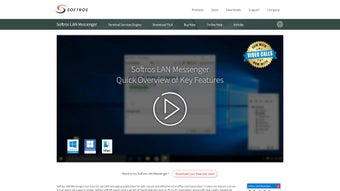

Download Softros LAN Messenger – Secure LAN Messaging Tool
Softros LAN Messenger is a free, lightweight messaging application built specifically for internal communication inside local area networks. Unlike cloud‑based chat services, it does not rely on an external internet connection or a complex server infrastructure, which makes it an ideal solution for businesses, schools, hospitals, and any organization that values privacy and simplicity. The tool supports one‑to‑one chats, group conversations, and a range of file‑sharing capabilities—including photos, documents, and video files—while keeping every exchange encrypted with AES‑256. In addition to text messaging, Softros LAN Messenger offers screen sharing, internal video calls, and the ability to organize contacts by department or role, streamlining collaboration across teams of any size. Its intuitive interface works out of the box on Windows machines and can be run on macOS via compatible wrappers, ensuring that mixed‑environment workplaces can adopt a single, secure communication platform without additional licensing costs.
Key Features of Softros LAN Messenger
- Zero‑Internet Operation: Works entirely within a LAN, eliminating the need for external servers or cloud services.
- AES‑256 Encryption: All messages, files, and voice/video streams are encrypted end‑to‑end, providing military‑grade security.
- Individual & Group Chats: Create private one‑on‑one conversations or dynamic groups for project‑based communication.
- Rich File Transfer: Send photos, PDFs, Office documents, spreadsheets, and video clips up to 2 GB per transfer.
- Screen Sharing & Video Calls: Initiate real‑time screen sharing and internal video calls without leaving the LAN.
- Contact Organization: Categorize users by department, role, or custom tags to locate teammates instantly.
- Message History & Offline Mode: Chats are stored locally; users can read and reply to messages even when temporarily offline.
- Customizable UI: Choose light or dark themes, adjust notification sounds, and set status messages.
- Multi‑Language Support: Interface available in English, Spanish, French, German, Russian, Chinese, and more.
- Free Core Version: The base application is completely free for unlimited users and devices.
Installation, Usage & Compatibility
Installation Steps
- Visit the official Softros website and click the Download for Windows button.
- Run the
SoftrosLANMessengerSetup.exefile and follow the wizard prompts. - Accept the End‑User License Agreement, choose the installation folder (default is
C:\Program Files\SoftrosLANMessenger), and click Install. - When the installation finishes, launch the application. The first run will ask you to set a unique user name and optionally import contacts from a CSV file.
- For macOS users, download the
.dmgpackage, mount the image, and drag the Softros icon into the Applications folder. macOS users may need to allow the app in System Preferences → Security & Privacy due to unsigned binaries.
How to Use Softros LAN Messenger
After launching the app, you will see a familiar chat pane on the left and a contact list on the right. To start a conversation, double‑click a contact or select a group from the Departments dropdown. The message box at the bottom supports rich text formatting, emojis, and file attachment via the paper‑clip icon.
For screen sharing, click the monitor icon and select the window you wish to broadcast; the remote user will receive a pop‑up asking to accept the stream. Video calls are started by clicking the camera icon next to a contact’s name. All actions are logged locally, and you can export chat histories as .txt or .pdf for compliance purposes.
Supported Operating Systems
- Windows 10, Windows 11, Windows Server 2016/2019/2022 (64‑bit)
- macOS 10.14 and later (via native client or Wine wrapper)
- Linux (experimental – community‑maintained package)
- Android 5.0+ (Softros LAN Messenger Mobile – optional)
- iOS 12+ (Softros LAN Messenger Mobile – optional)
Pros, Cons, FAQ & Final Verdict
Pros
- Completely free core version with no hidden fees.
- End‑to‑end AES‑256 encryption ensures data stays inside the LAN.
- No internet or external server required, reducing latency and cost.
- Rich feature set—group chat, file sharing, screen sharing, and video calls.
- Easy deployment; works on existing network infrastructure.
- Scalable from small teams to large enterprises.
Cons
- Advanced administration tools (e.g., centralized user management) are locked behind a paid Pro license.
- Native macOS client is less polished than the Windows version.
- No built‑in cloud backup; chat history is stored locally.
- Limited integration with third‑party productivity suites.
- Mobile apps lack some desktop features such as screen sharing.
Frequently Asked Questions
Is Softros LAN Messenger truly free?
Yes. The core application is free for unlimited users and devices. Advanced features like centralized management and custom branding are part of the optional paid Pro edition.
Do I need an active internet connection to use Softros LAN Messenger?
No. The software operates entirely within a local area network, so it works even if the internet is down or completely unavailable.
How secure is the communication?
All traffic—including messages, files, screen sharing, and video calls—is encrypted using AES‑256, which is considered military‑grade security. Encryption keys are generated locally on each device.
Can I integrate Softros LAN Messenger with Active Directory?
Integration with Active Directory is available in the Pro version, allowing automatic user provisioning and single‑sign‑on.
Is there a mobile version of Softros LAN Messenger?
Yes. Softros offers Android and iOS mobile apps that connect to the same LAN, enabling on‑the‑go messaging, though some desktop‑only features (like screen sharing) are not available on mobile.
Conclusion – Why You Should Download Softros LAN Messenger Today
For organizations that need a reliable, secure, and cost‑effective way to keep teams connected without exposing data to the internet, Softros LAN Messenger stands out as a mature, battle‑tested solution. Its zero‑internet architecture eliminates latency and reduces operational overhead, while AES‑256 encryption guarantees that sensitive information never leaves the confines of your network. The rich feature set—including group chat, large file transfers, screen sharing, and video calls—means you can replace multiple fragmented tools with a single application. Even though the free version lacks some enterprise‑grade management features, it still delivers everything a small‑to‑medium business needs to communicate efficiently. If you’re ready to boost internal collaboration while keeping communications locked down, click the download button below, install the software on your Windows or macOS machines, and start chatting securely today.







